IEEE GLOBECOM 2024 Workshop on Open Research Infrastructures and Toolkits (OpenRIT6G)
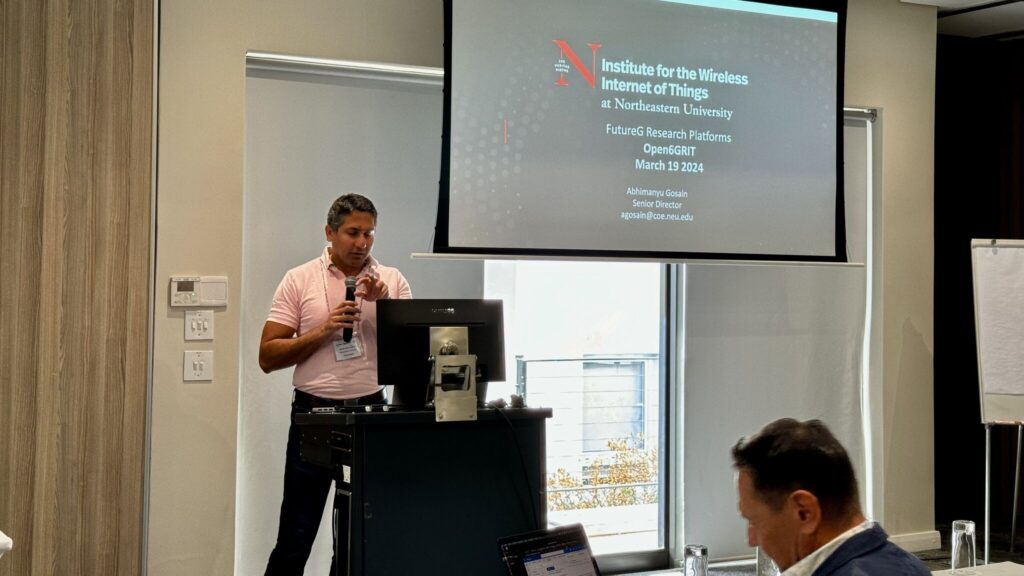
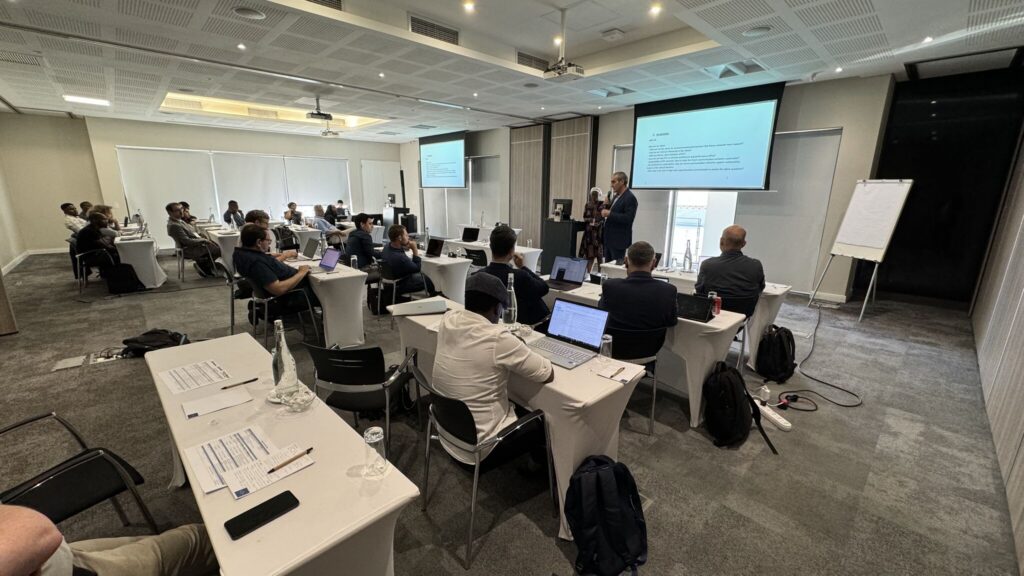
The IEEE GLOBECOM 2024 Workshop on Open Research Infrastructures and Toolkits for 6G (OpenRIT6G) took place on Sunday, December 8, 2024, at the Cape Town International Convention Centre (CTICC), South Africa. This workshop merged two significant research initiatives: the FutureG Experimental Test Platforms initiative from GLOBECOM 2023 and the OpenRIT6G initiative launched in Cape Town in March 2024. Key international stakeholders supported the workshop, including the German 6G Platform, Open6GHub, PAWR, SLICES RI, and the IEEE Future Networks initiative.
A Vision for Open and Federated Research Infrastructure
With the increasing complexity of modern networks, there is a growing need for open, modular, and federated network infrastructures that can cater to diverse vertical application needs. The workshop highlighted the importance of establishing open research environments that integrate AI, cloud-native architectures, Open RAN, and private networks. Participants discussed how these infrastructures can support innovation, facilitate reproducibility in research, and contribute to sustainable digital ecosystems.
Keynote speaker Tsabi Molapo (Telkom SA) opened the workshop with a talk on “Open Research Infrastructures and Tools for Connecting the Unconnected: Reshaping the Future of Connectivity.” The presentation underscored the role of open experimentation platforms in bridging the digital divide and fostering sustainable connectivity solutions.
Technical Contributions and Insights
The workshop featured insightful papers. Notable presentations included:
LEO Satellite Mobile Direct NB-IoT Communication – A study from the University of Tokyo exploring low-earth orbit (LEO) satellite communications for IoT applications.
Empirical Evaluation of Private 5G Networks for Urban Environments – A Germany-based study evaluating 5G cell performance for slow-speed vehicular use cases.
Network Automation and Open RAN Developments – Several presentations explored AI-driven automation for Open RAN and multi-agent architectures for xApps in next-generation networks.
Panel Discussion: “Towards a Realistic 6G for All”
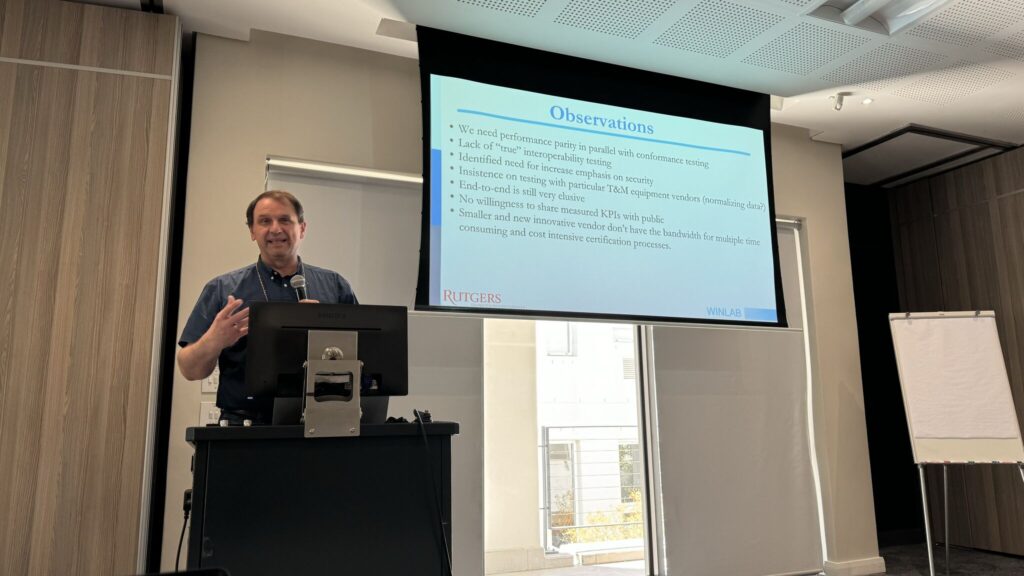
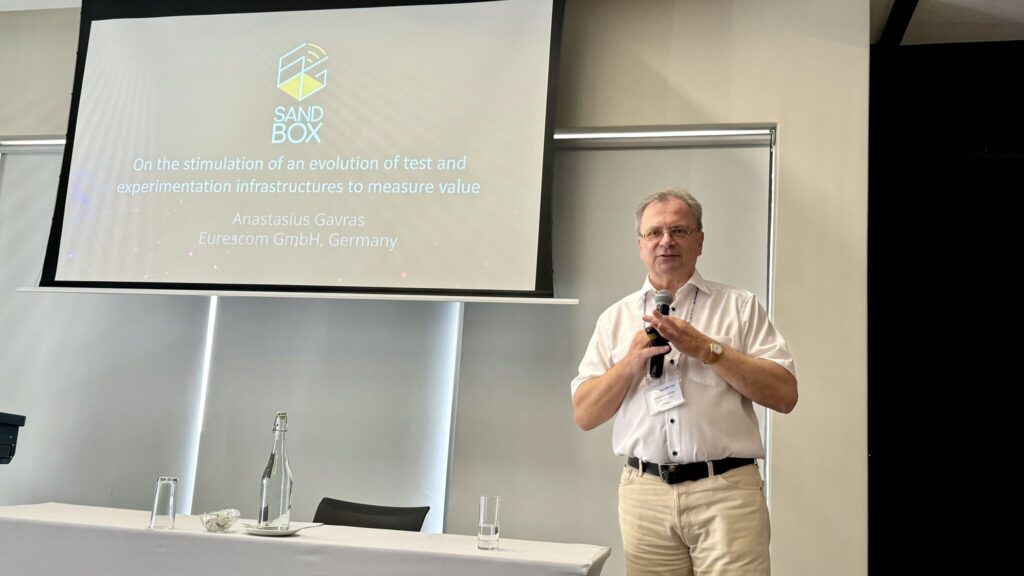
A highlight of the workshop was the international panel discussion, which featured experts from academia, industry, and regulatory bodies, including representatives from ICASA (the South African Regulator), NTT Docomo, Rutgers University, UFRJ/RNP (Brazil), and Eurescom. The discussion centred on the challenges and opportunities of 6G development, emphasising the evolving role of private networks and the necessity for open, accessible research infrastructures.
The IEEE GLOBECOM 2024 OpenRIT6G workshop successfully set the stage for further collaboration in open research infrastructures, paving the way for future innovations in NextG networking.
Lots of experiences have been gained in the past that open test and prototyping infrastructures are of key importance for the early prototyping of next generation mobile network technologies and applications. And with the increasing complexity of technologies due to disaggregation of network functions and components while addressing an increasing need for specific vertical application domain adaptations this is becoming even more important.
Understanding the increasing desire for local eco system developments in different regions of the world and the growing diversity in value chains and business models, the early provision of open research infrastructures and related toolkits becomes of high relevance for accomplishing the vision of an “Open 6G for all”, enabling both academia and industry to get started for the international standardization.
In this panel we bring together distinguished domain experts to discuss the subject.
Chair: Thomas Magedanz, Fraunhofer FOKUS / TU Berlin
Panelists:
Aki Nakao, Tokyo University, Japan
Kostas Chalkiotis, Deutsche Telekom, Germany
Maria, Guta, European Space Agency, The Netherlands
Serge Fdida, Sorbonne University, France
Anita Dohler, NGMN Alliance
Anastasius Gavras, EURESCOM, Germany
Tony Quek, SUDT, Singapore (remote)
Abhimnayu Gosain, Northeast University, USA (remote)
The expectations on 6G are ambiguous as it should extend 5G into several technical and societal dimensions. Particularly, when looking at the targeted UN SDGs, 6G is expected to become the network for all, connecting different vertical industries, as well as the unconnected around the globe. While global research is still debating on evolutionary vs. revolutionary architectural approaches, many operators have made clear, that 6G has to be backward compatible to allow a smooth network transition and to avoid massive investments into a new infrastructure without clearly identifiable killer applications.
Understanding the current lessons learned from global 5G rollout challenges, as well as the increasing notion of private networks, opening and disaggregation of radio and core network architectures, and emerging open source implementations of 5G technologies driving innovations one could assume, that 6G might be strongly affected by this.
In this international panel stretching four continents bringing together both relevant industry and academia speakers, we want to discuss the role, plannings and state of play for building up open 6G research infrastructures and toolkits around the globe to allow both industry and academia to get an early practical understanding on emerging 6G technologies and to actively contribute to 6G research, standardization and developments from different national perspectives. In particular, we want to discuss how university students around the globe, including those from developing and emerging countries, could be included in this “practical education”, to be able to design and build up their own national public and/or private 5G/6G networks in the future.
We also want to discuss best practices and current road blocks and show stoppers identified from the international panelists.
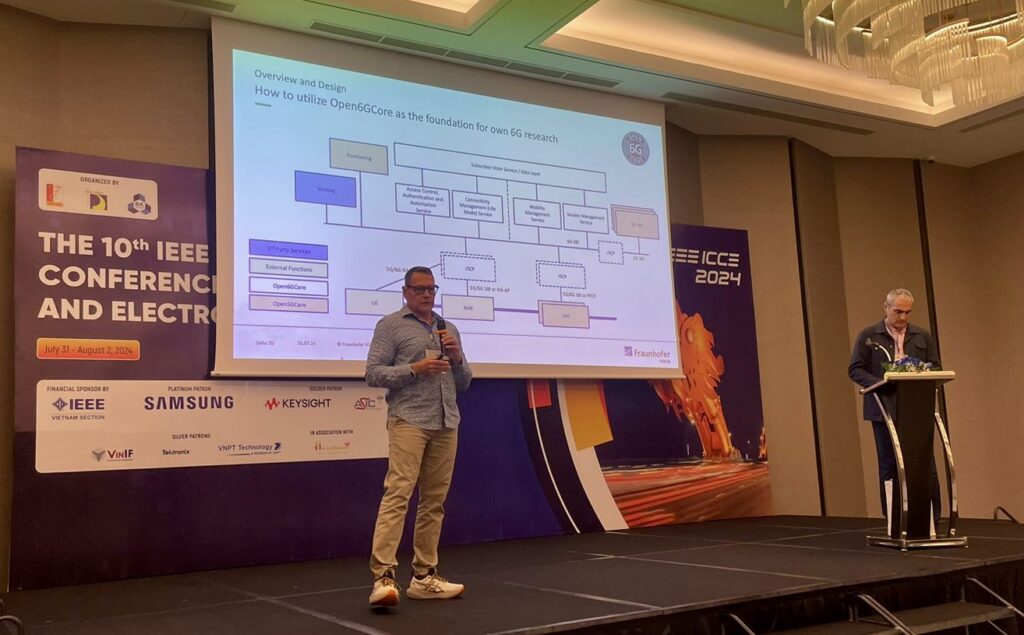
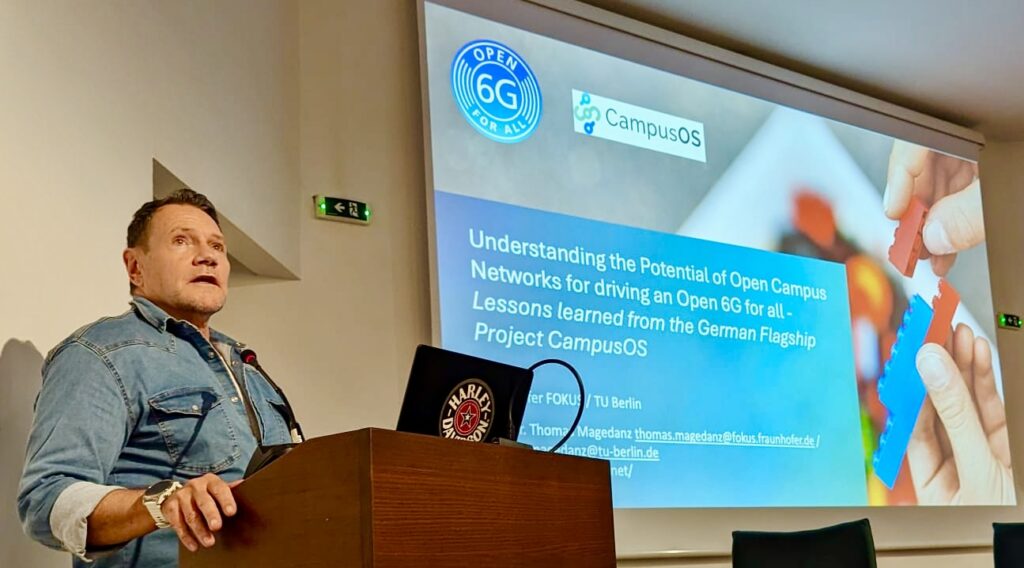
Understanding the Potential of Open Campus Networks for driving an Open 6G – Lessons learned from the German Flagship Project CampusOS – Keynote T. Magedanz
This keynote is addressing the role of emerging Open 5G Campus Networks and their role in the evolution towards 6G. There is no doubt, that in many countries customized Non-public / Private / Campus Networks are currently being considered to be a solution to leapfrog commercial public 5G deployments in order to meet specific requirements of enterprises in different vertical sectors in their digital transformation. We can witness that thanks to different business and operation models, in which operators, third parties, or the enterprises themselves are planning, deploying and operating these networks. What is still needed is a catalogue of open modular components and useful blueprints illustrating how to combine adequate components for realizing efficiently different use cases. The German BMWK Flagship Project Campus-OS and its associated “satellite projects” are addressing this challenge to stimulate the creation of a new European ecosystem for building self-sovereign open, modular campus networks for different industry sectors (https://campus-os.io/) since the beginning of 2023 and have reached by now good progress.
In this keynote Prof. Magedanz is providing an overview of the project and its achievements in regard to business and operation model options, component catalogue and available blue prints.
In addition, the keynote will also outline the relevance of this research work in regard to its relevance on current 6G research, as a lot of the internationally targeted 6G innovation areas are already being addressed in the campus network evolution, such as the research on higher spectrum RAN, satellite integration, dynamic spectrum usage, new positioning and sensing capabilities, network automation and deep integration of AI/ML, open network architectures and new eco system developments, etc.
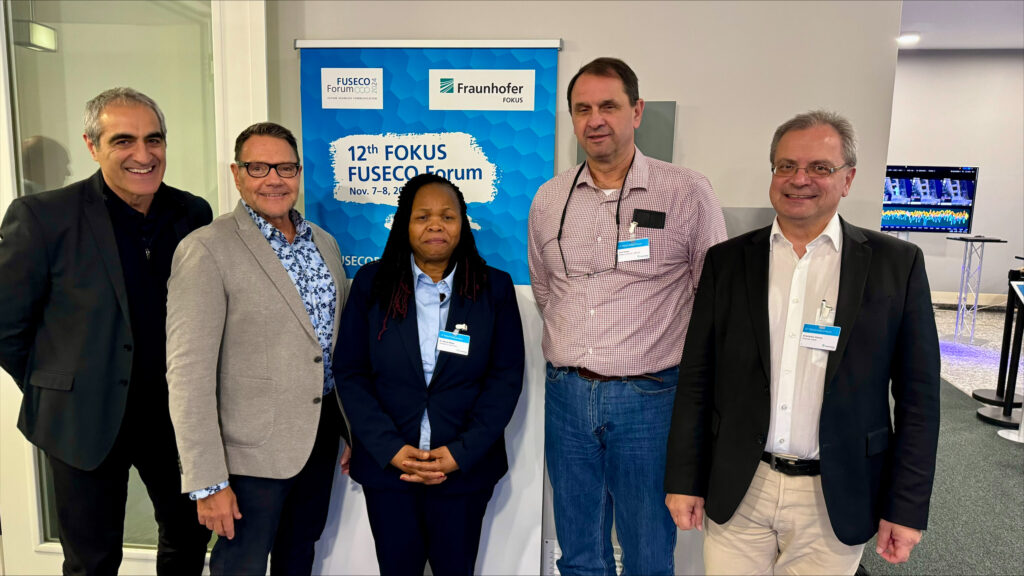
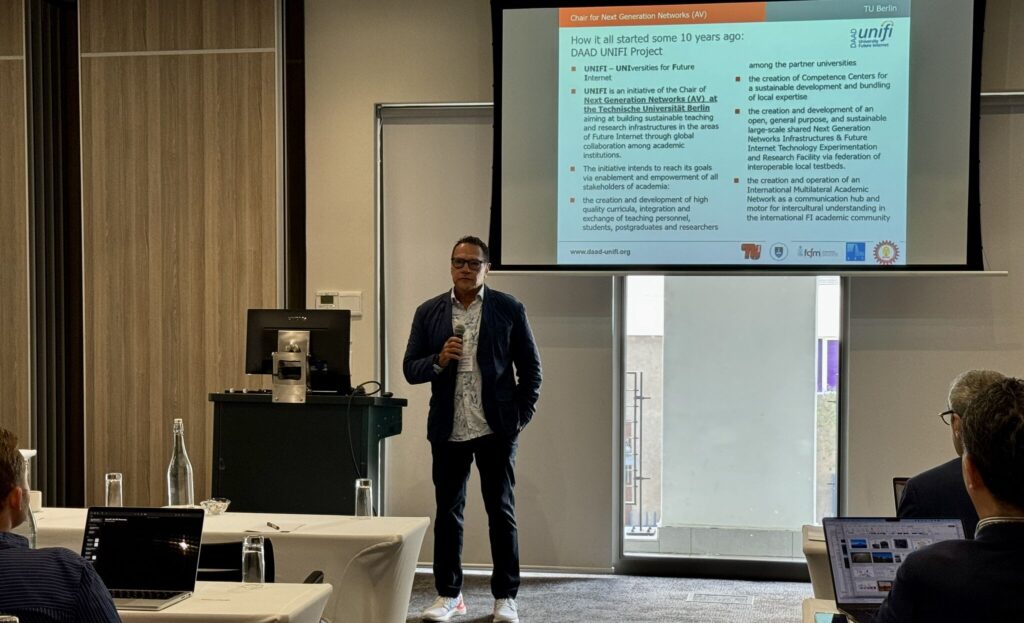
The field of telecommunications is undergoing a significant transformation due to the digital revolution impacting various industries. This change is characterized by increased complexity in systems, diverse use cases, evolving network architectures, shifting business models, and the rise of open ecosystems. From a technical standpoint, notable developments include the growing influence of network virtualization, modular network design, software-driven networking, and the integration of artificial intelligence. These advancements are particularly evident in the progression of mobile networks towards 5G Advanced and 6G. Additionally, the trend towards private mobile networks tailored for specific industries, coupled with flexible network deployment and operational models, is spurring innovation in networking. These advancements place substantial demands on research and development infrastructure globally, particularly for various 6G research initiatives. International collaboration is becoming increasingly crucial for the early harmonization of ideas, concepts, architectures, and related protocols and interfaces. This collaboration is essential for the efficient standardization of mobile networks for 5G Advanced and 6G. Moreover, the emphasis on open, vendor-neutral technology and application testbeds, along with supporting software toolkits, is key to education and skill development. This focus is evident in different regional research centers, which aim to foster local ecosystem development. There is also a growing interest in small-scale, portable testbeds that allow students to engage with the latest networking technologies in their own environments. This approach is particularly important for developing countries to align with the 6G vision of creating a network for everyone and to support the United Nations Sustainable Development Goals (UN SDGs). This exclusive, invitation-only workshop aimed to unite leading researchers to synchronize their visions and roadmaps for their 5G/6G labs and to accelerate international cooperation in key areas of mutual interest. To facilitate this, each speaker submitted five points of interest for discussion in the afternoon sessions. From these submissions, the top six topics were selected for in-depth discussion.
Download Windows 7 Activator Loader Offline Installer for Full Activation
If you want to fully activate your Windows 7 operating system, the best way is to use the windows 7 activator loader download offline installer. This tool helps you activate Windows 7 without needing an internet connection, making it easy and convenient. Many users look for a reliable activator that works offline because it saves time and avoids common activation errors.
The windows 7 activator loader download offline installer is designed to bypass the activation process securely and quickly. It supports all versions of Windows 7, including Home, Professional, and Ultimate editions. By using this offline installer, you can enjoy all the features of Windows 7 without any restrictions or watermarks.
One of the main benefits of the windows 7 activator loader download offline installer is that it does not require constant internet access. This makes it ideal for users who have limited or no internet connectivity. The activator loader works by modifying system files to activate the Windows license permanently.
When you download the windows 7 activator loader download offline installer, make sure to get it from a trusted source to avoid malware or corrupted files. After installation, your Windows 7 will be fully activated, allowing you to receive updates and use all functionalities without interruptions.
How to Use Windows 7 Activator Loader for Offline Activation
Using the windows 7 activator loader download offline installer is a simple way to complete the windows 7 activation setup without needing internet access. This method helps users who want to avoid the usual online activation steps and still get their Windows 7 fully activated. The windows 7 activation approach with this loader is straightforward and effective, making the whole windows 7 activation procedure easier for everyone.
The windows 7 activation method using this loader involves running the tool on your computer, which then applies the necessary changes to activate your system. This offline activation process is especially useful when the usual windows 7 activation process cannot be completed online due to connectivity issues or other restrictions.
Windows 7 Activation Process Explained
The windows 7 activation process is designed to verify that your copy of Windows is genuine. Normally, this involves connecting to Microsoft servers to confirm your license. However, the windows 7 activator loader download offline installer changes this by allowing activation without internet access.
Here is a simple breakdown of the windows 7 activation procedure using the loader:
Run the loader tool as an administrator.
The tool scans your system to detect the Windows version.
It applies a digital license to your system files.
The system is then activated permanently without needing online verification.
This windows 7 activation approach ensures that your system remains activated even after updates or restarts.
Offline Installation of Windows 7 Loader
Installing the windows 7 activator loader download offline installer is easy and does not require an internet connection. Follow these steps for a smooth windows 7 activation setup:
Step
Action
Description
1
Download the offline installer
Get the loader file on a USB or local drive.
2
Disable antivirus temporarily
Prevent interference during activation.
3
Run the loader as administrator
Right-click and select “Run as administrator.”
4
Click “Install” or “Activate”
Start the activation process.
5
Restart your computer
Finalize the activation.
This windows 7 activation method works well for all editions and ensures a hassle-free activation procedure.
Using Windows 7 Activate CMD for Activation
Another windows 7 activation approach involves using the Command Prompt (CMD) to activate Windows manually. This method is often combined with the loader for better results. Here’s how to use the windows 7 activate CMD:
Open Command Prompt as administrator.
Type the command to install the product key.
Use the command to activate Windows.
Check activation status with a verification command.
This windows 7 activation procedure via CMD helps confirm that the loader has successfully activated your system. It is a useful step to troubleshoot any activation issues.
OEM Windows 7 Activator and Its Role
The OEM windows 7 activator is a special type of loader designed to mimic the original equipment manufacturer’s activation method. This windows 7 activation setup uses OEM keys and certificates to activate Windows as if it came pre-installed on your PC.
The role of the OEM windows 7 activator in the windows 7 activation process is to provide a more stable and long-lasting activation. It follows a windows 7 activation approach that closely resembles the official activation method, making it less likely to be flagged by Windows updates.
Using the OEM activator along with the windows 7 activator loader download offline installer ensures a complete and reliable activation procedure for your Windows 7 system.
Key Features and Benefits of Windows 7 Activator Loader
The windows 7 activation program offers a simple and effective way to unlock all the functions of your Windows 7 system. This activation solution is designed to work smoothly on different versions of Windows 7, providing users with many advantages.
One of the main windows 7 activation features is its ability to activate the system without needing an internet connection. This offline capability makes it very convenient for users who have limited or no access to the web. The activation benefits include full access to updates, removal of activation warnings, and the ability to use all Windows 7 tools without restrictions.
Here is a quick list of key windows 7 activation benefits:
Permanent activation without reactivation requests
Compatibility with all Windows 7 editions
Easy to use with a few simple steps
No need for internet during activation
Safe and secure activation process
Feature
Benefit
Offline activation capability
Works without internet connection
Wide compatibility
Supports Home, Professional, Ultimate
User-friendly interface
Simple steps for activation
Permanent license
No need to reactivate after updates
This windows 7 activation solution is a reliable choice for users who want to enjoy a fully functional Windows 7 system without any limitations.
Windows 7 Activation Key Free Offline Availability
Many users look for a windows 7 activation program that provides free offline keys. This option allows activation without purchasing a license or connecting to the internet. The offline availability of activation keys is one of the most useful windows 7 activation features because it helps users save money and time.
The free offline keys work by applying a digital license directly to your system files. This method is part of the windows 7 activation solution that bypasses the usual online verification process. It ensures that your Windows 7 remains activated even when offline.
Windows 7 Activation Bypass Techniques and Tools
There are several windows 7 activation program tools designed to bypass the official activation process. These tools use different windows 7 activation features to trick the system into thinking it is genuine. Common bypass techniques include emulating genuine activation servers or modifying system files.
Using these tools as a windows 7 activation solution can help users avoid activation errors and restrictions. However, it is important to choose trusted tools to prevent system damage or security risks.
Windows 7 Genuine Copy Emulator and Activation Crack
A popular windows 7 activation program is the genuine copy emulator combined with an activation crack. This solution mimics the behavior of a genuine Windows license, allowing the system to pass activation checks.
The emulator works by injecting a valid license into the system, while the activation crack modifies system files to accept this license. Together, they provide a smooth windows 7 activation solution that unlocks all features and removes activation warnings.
Windows 7 Activation Software and Utility Overview
There are many windows 7 activation programs available, each with unique windows 7 activation features. These utilities vary in complexity, from simple loaders to advanced emulators.
Some common features of these software tools include:
Automatic detection of Windows version
One-click activation process
Offline activation support
Compatibility with multiple Windows 7 editions
Using these utilities as a windows 7 activation solution can save time and effort, making the activation process easier for all users.
When it comes to activating Windows 7, many users have common concerns and need clear answers. This windows 7 activation FAQ covers the most frequent windows 7 activation questions and offers windows 7 activation help to make the process easier.
Many people ask about how to activate Windows 7 without internet, whether activation can be free, and how to fix common issues like bootloader problems. Below, you will find helpful answers and tips to guide you through these topics.
How to activate Win7 offline?
Activating Windows 7 offline means you do not need an internet connection to complete the activation. This is useful if you have limited or no access to the web.
To activate Windows 7 offline:
Use a trusted offline activator tool designed for Windows 7.
Run the activator as an administrator on your PC.
The tool will apply a digital license directly to your system files.
Restart your computer to complete the activation.
Note: This method avoids the usual online activation steps and helps users who face connectivity issues.
Can I activate Windows 7 for free?
Many users wonder if Windows 7 activation can be done without paying. Officially, Windows 7 requires a valid product key for activation, which usually means purchasing a license.
However, some tools provide windows 7 activation help by applying digital licenses or bypassing the activation process. These methods may activate Windows 7 for free but come with risks such as security concerns or lack of official support.
Activation Method
Cost
Notes
Official Product Key
Paid
Genuine and supported by Microsoft
Offline Activator Tools
Usually free
May bypass activation but not official
How to fix bootloader in Windows 7?
A corrupted bootloader can prevent Windows 7 from starting properly. Fixing it is important to regain access to your system.
Steps to repair the bootloader:
Insert your Windows 7 installation DVD or USB.
Boot from the installation media.
Choose “Repair your computer.”
Open Command Prompt.
Run these commands one by one:
bootrec /fixmbr
bootrec /fixboot
bootrec /rebuildbcd
Restart your computer.
This process repairs the bootloader and helps Windows 7 start normally again.
How to install Windows 7 without an Activation key?
Installing Windows 7 without an activation key is possible, but the system will run in a trial mode for a limited time. During installation, you can skip entering the product key.
After installation:
You will see activation reminders.
Some features may be limited.
You can use windows 7 activation help tools later to activate your system.
Keep in mind that using Windows 7 without activation is temporary and may restrict access to updates and personalization options.
Download Windows 7 Activator Loader for 64 Bit Systems to Activate Your OS
If you are looking to activate your Windows 7 operating system, the windows 7 activator loader download 64 bit is a popular tool designed for this purpose. This software helps users unlock the full features of their Windows 7 OS without the need for a product key. It is especially useful for those who have installed a fresh copy of Windows 7 and want to ensure their system is fully functional and genuine.
The windows 7 activator loader download 64 bit works by bypassing the activation process, allowing your computer to recognize the operating system as activated. This means you can receive updates and use all the features without restrictions. It is important to download this tool from a trusted source to avoid any security risks or malware.
Using the windows 7 activator loader download 64 bit can save time and effort compared to other activation methods. It is compatible with all 64-bit versions of Windows 7, making it a versatile choice for many users. Once activated, your system will run smoothly, and you will no longer see activation reminders or limitations.
How to Download and Install Windows 7 Activator Loader for 64-Bit Systems
Downloading and installing the Windows 7 activator loader download 64 bit is a straightforward process that helps you activate your Windows 7 OS quickly. This tool works as a Windows 7 activation utility, allowing users to activate their system even without an internet connection. Whether you choose the Windows 7 activator loader download 64 bit usb version or the offline installer, both options provide a reliable way to complete activation.
Using the Windows Loader download ensures your system recognizes the activation, so you can enjoy all features without limitations. Below, you will find detailed steps and important information to help you get started.
Step-by-Step Guide to Downloading Windows 7 Activator Loader 64 Bit USB and Offline Installer
Choose the version you want: USB or offline installer.
Download the Windows 7 activator loader download 64 bit usb or offline installer file.
If using USB, copy the installer to a USB drive.
Run the Windows 7 activation utility on your computer.
Follow the on-screen instructions to complete the activation.
Restart your computer to apply changes.
Verify activation status to ensure Windows 7 activation without internet is successful.
Tip: Always run the loader as an administrator for smooth installation.
System Requirements for Windows 7 Loader on 64-Bit Operating Systems
To use the Windows 7 activator loader download 64 bit effectively, your system should meet the following requirements:
Requirement
Details
Operating System
Windows 7 64-bit version
Processor
1 GHz or faster 64-bit processor
RAM
Minimum 1 GB
Disk Space
At least 100 MB free
User Permissions
Administrator rights
Internet Connection
Not required (supports offline)
Meeting these requirements ensures the Windows 7 activation utility runs smoothly and activates your system without any issues.
Windows 7 Loader Old Version Download and Compatibility with 32-Bit and 64-Bit Systems
Older versions of the Windows Loader download are available for users who may need compatibility with different system architectures. While the latest Windows 7 activator loader download 64 bit is optimized for 64-bit systems, older versions often support both 32-bit and 64-bit Windows 7 editions.
Old versions may lack some improvements found in newer releases.
Compatibility with 32-bit systems is generally limited to older loaders.
Always check system compatibility before downloading to avoid errors.
Using the correct version ensures successful Windows 7 activation without internet access.
By selecting the appropriate loader version, you can activate your Windows 7 OS efficiently, regardless of whether your system is 32-bit or 64-bit.
Features and Usage of Windows 7 Activator Loader for Various Windows 7 Editions
The Windows 7 activator loader is a tool designed to help users with windows 7 editions activation. It supports windows 7 activation for multiple editions, making it a flexible option for different versions of the operating system. This loader allows users to enjoy windows 7 full functionality by bypassing the usual activation process.
Using this tool involves unofficial windows activation methods, which means it is not supported by Microsoft but can still enable full access to Windows 7 features. The loader works by applying a windows 7 activation bypass, which tricks the system into thinking it is properly licensed.
Windows 7 Loader Activation for Professional, Home, and Other Editions
The loader is compatible with many Windows 7 editions, including Professional, Home Premium, Ultimate, and Enterprise. It simplifies windows 7 editions activation by providing a single solution for all these versions.
Windows 7 Edition
Activation Support
Notes
Professional
Yes
Full functionality enabled
Home Premium
Yes
Supports all features
Ultimate
Yes
Includes advanced options
Enterprise
Yes
Suitable for business use
This compatibility makes it easy to perform windows 7 activation for multiple editions without needing separate tools or keys.
Using Windows 7 Activator Loader for Offline Activation and USB Activation
One of the key benefits of this loader is its ability to activate Windows 7 without an internet connection. Users can perform offline activation by running the loader directly on their PC.
Offline activation is useful when internet access is limited or unavailable.
The loader can be copied to a USB drive for easy transfer and activation on different machines.
USB activation allows users to activate multiple computers quickly and efficiently.
This flexibility ensures that users can maintain windows 7 full functionality regardless of their network situation.
Windows 7 Activation Without Product Key and Bypass Methods for Full Functionality
The loader enables windows 7 activation bypass techniques that do not require a product key. This is helpful for users who have lost their original keys or want to avoid purchasing new ones.
Note: This method uses unofficial windows activation, which may not be legal or supported by Microsoft.
By using these bypass methods, users can unlock windows 7 full functionality, including updates and personalization options, without restrictions. The loader modifies system files to simulate genuine activation, allowing the operating system to run smoothly.
FAQ: Common Questions About Windows 7 Activator Loader Download 64 Bit
When using windows 7 activation software like the Windows 7 Loader download, many users have questions about how it works and its features. This section answers some of the most common questions about the windows 7 activation utility and windows 7 activation bypass methods.
Is It Legal to Download and Use Windows 7 Loader on PC?
Using the Windows 7 Loader download involves bypassing the official activation process. This means it is not authorized by Microsoft and may violate software licensing agreements. While the windows 7 activation utility can activate your system without a product key, it is considered an unofficial method.
Important: Using such tools can lead to legal issues and may expose your computer to security risks. Always consider using genuine activation methods when possible.
Can Windows 7 Loader Be Used on Multiple Devices?
The windows 7 activation software is typically designed for single-device use. However, some versions of the Windows 7 Loader download may allow activation on multiple machines, but this is not guaranteed or supported officially.
Device Count
Typical Support
Notes
Single Device
Fully supported
Most common use case
Multiple Devices
Limited or unsupported
May cause activation failures
Using the loader on many devices may trigger detection and deactivation by Microsoft’s systems.
How to Activate Windows 7 Professional 64-Bit Using the Loader Tool?
Activating Windows 7 Professional 64-bit with the windows 7 activation utility involves a few simple steps:
Download the Windows 7 Loader download for 64-bit systems.
Run the loader as an administrator on your PC.
Follow the on-screen instructions to start the activation process.
The loader applies a windows 7 activation bypass to simulate genuine activation.
Restart your computer to complete the activation.
Verify that Windows 7 is activated by checking system properties.
This process allows full access to Windows 7 features without needing a product key.
What Are the Differences Between Older Activator Versions and the Latest Loader?
Older versions of windows 7 activation software often lack improvements found in the latest Windows 7 Loader download. Here are some key differences:
Compatibility: Newer loaders better support 64-bit systems and recent Windows 7 updates.
Stability: Latest versions have fewer bugs and improved activation success rates.
Security: Updated loaders reduce the risk of malware and detection by Microsoft.
Features: New loaders may include offline activation and USB support.
Feature
Older Versions
Latest Loader
64-bit Support
Limited
Full support
Activation Success Rate
Lower
Higher
Security Measures
Basic
Enhanced
Offline Activation
Rare
Common
Using the latest windows 7 activation utility is recommended for better results and safer activation.